

For photography classes for beginners, bring the camera or phone your instructor accepts, a charged battery, compatible storage, and a way to carry your equipment safely. Check the class supply list before buying anything: lessons that teach manual exposure require different controls from lessons focused on composition. Leave extra lenses, lighting equipment, and editing purchases until the instructor explains what assignments require.
TL;DR
For photography classes for beginners, the instructor’s equipment list matters more than a camera’s brand or appearance.
A smartphone suits composition practice when accepted; manual-exposure lessons need access to the controls being taught.
Pack charged equipment, compatible storage, and a secure carrying method before considering accessories.
The Garden Arts Center suits families exploring arts classes across different creative interests.
What equipment do beginners need for a photography class?
Start with an accepted image-making device and the essentials that keep it working. Your equipment should let you complete the lesson, save your photographs, and bring them back for discussion—not distract you with unfamiliar accessories.
If you are choosing a course alongside equipment, the guide to photography classes for beginners with their first camera addresses that starting point.
Smartphone
Best for: Composition practice in a class that accepts phones
Useful feature: Combines image capture and viewing in one device
Limitation to check: The camera app might not expose the controls an assignment requires
Compact camera
Best for: Students who prefer a separate camera without changing lenses
Useful feature: Keeps the camera and lens together
Limitation to check: Manual controls and file formats differ by model
Interchangeable-lens camera
Best for: Lessons involving manual exposure and lens choices
Useful feature: Lets students change lenses and adjust photographic settings
Limitation to check: Adds equipment to carry and controls to learn
For a 2026 class, confirm requirements for the actual course rather than relying on an older supply list. The right choice is the device that matches the teaching plan and that you or your child can operate comfortably.
Why this matters
A beginner needs attention for framing, light, and timing. Searching for a missing charger or struggling with an unfamiliar menu takes that attention away from the subject.
For parents, equipment also affects the practical side of attending. A child who can carry, identify, and put away their belongings has a clearer routine than a child managing a bag of accessories they do not yet understand.
Choose equipment around the lesson, then build a routine around your family. An existing camera that meets the requirements is a sensible starting point; owning something newer does not establish whether it fits the course.
Smartphone: best for accepted composition-focused lessons
A smartphone is a reasonable starting device when the instructor explicitly accepts it. You can practice choosing a viewpoint, noticing background distractions, placing a subject within the frame, and observing how light changes an image.
Its strength is convenience. Its limitation is that camera controls depend on the phone and app, so do not assume that every phone can follow a demonstration of shutter speed, aperture, or manual focus.
Before class, check that the camera opens, photographs save correctly, and storage has room for new work. Know how to find the original photographs afterward rather than relying only on images sent through messaging apps.
For a child, also check how access will work. If the device belongs to a parent, ask whether the student needs it throughout the lesson and whether assignments involve practice between meetings. Use a phone only after the instructor confirms it fits the course.
Compact camera: best for a self-contained camera setup
A compact camera keeps its lens attached, which removes the task of choosing and changing lenses. That makes it an option for a student who wants a separate camera without managing additional lens equipment.
The trade-off is variation between models. Some provide extensive exposure controls; others emphasize automatic shooting. A camera being described as a compact does not tell you whether it meets a particular class requirement.
Locate the model name and send it to the instructor if the supply list is unclear. Ask specifically about the settings the student will need, not simply whether the camera is considered suitable for beginners.
Check an older family camera before depending on it for a 2026 course. Confirm that its battery charges, its storage works, and you have a practical way to transfer photographs. Choose a compact camera when its actual controls match the lessons.
Interchangeable-lens camera: best for manual-control lessons
An interchangeable-lens camera gives you room to work with exposure settings and different lenses. If your class teaches aperture, shutter speed, and ISO, ask whether your specific camera provides the required access to those controls.
The advantage is flexibility. The drawback is that more controls and removable parts create more preparation, especially for a child learning how to handle equipment independently.
Bring the lens the instructor recommends or confirms is suitable. A lens you already own can be enough for the opening assignments; do not assume that a bag of additional lenses is part of beginning photography.
Practice attaching the strap, removing the lens cap, turning the camera on, and reviewing a photograph before leaving home. Start with an accepted camera-and-lens combination you can manage confidently.
What belongs in your beginner photography bag?
Pack for the lesson you are attending, not every photographic situation you might encounter. Keep equipment together so the same preparation routine works each week.
Charged equipment
Charge the camera battery or phone before class. If you bring a spare camera battery, verify that it fits the model and is charged too; a spare is useful preparation, not an automatic course requirement.
Bring a charger only when the instructor requests it or when your plans make it practical. Do not assume classroom charging access.
Compatible storage
Use the memory-card type specified for your camera, or confirm that your phone has space for new images. Back up existing photographs before clearing storage, and check that the device recognizes its storage before you leave.
Avoid deleting unfamiliar files or formatting a borrowed card without the owner's permission. A working card matters more than buying a larger one without knowing what the assignments involve.
Secure carrying
Use a bag that protects the equipment during travel and lets the student find it without emptying everything onto the floor. A camera strap helps keep the device attached to the user when handled correctly.
For children, check that the carrying arrangement feels manageable while they also have school belongings. A complicated setup is not a requirement for learning photography.
Class instructions
Keep the instructor's supply list and assignment directions accessible. A small notebook is useful if you prefer handwritten reminders, but ask whether the course requires a particular way to record work.
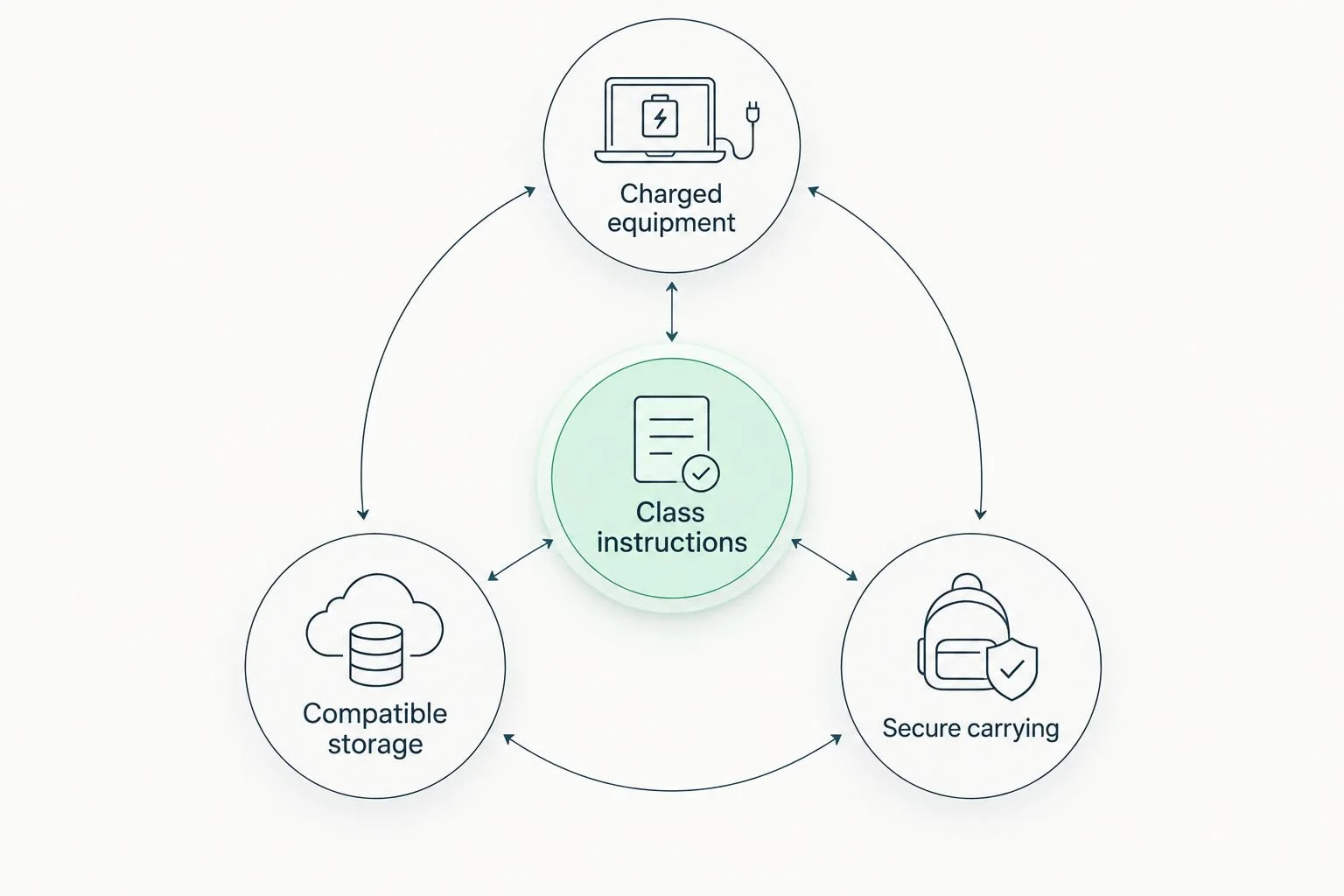
The class instructions determine what belongs in the bag.
Why beginner photography equipment requirements vary
There is no single kit that fits every introductory photography course. These differences explain why checking the instructor's list is more useful than following a general shopping list:
Lesson goals: Composition exercises and manual-exposure exercises ask different things of a camera.
Device controls: Access to aperture, shutter speed, focus, and file settings differs between devices.
Assignment setting: Indoor tabletop work and outdoor practice call for different carrying and preparation decisions.
Image submission: Viewing photographs on the camera is different from transferring files for editing or discussion.
Student independence: A child needs equipment they can handle and identify, with adult support where appropriate.
Equipment already owned: An existing device should be checked against the requirements before you replace it.
When comparing 2026 courses, ask for the equipment list alongside the course description. A clear description of what students will practice helps you decide whether your current device is suitable.
Do beginners need a tripod for photography class?
A tripod is necessary when the assignment requires a stationary camera, not simply because you are a beginner. Long-exposure work and carefully repeated framing are examples of activities where camera support serves a specific purpose.
The benefit is steadiness and consistent positioning. The drawback is another item to carry, set up, and use safely around other people.
Ask whether the instructor requires students to bring support equipment, supplies it for an exercise, or does not need it for the course. A phone also needs a suitable holder to attach to a tripod; do not assume a camera attachment will secure it.
Do I need a laptop and editing software before my first lesson?
Bring a laptop or install editing software only when the course instructions require it. Capturing photographs, transferring files, and editing images are separate tasks, and a beginning course does not necessarily teach them all together.
Ask how students will share their work and whether the instructor specifies a file format or editing application. Confirm device compatibility before installing anything, especially on a shared family computer.
For a child's device, an adult should review account and sharing requirements. Keep original photographs when experimenting with edits so that you can return to the unedited image.
How should families prepare before registering?
Settle the equipment questions and the weekly routine together. A camera that fits the course is only part of making attendance practical.
Confirm the course focus. Ask what beginners will learn and which device controls they will use.
Check the device. Provide the camera model or phone details and request confirmation that it meets the requirements.
Test the workflow. Take a photograph, find it, and check how you will transfer or submit it.
Plan the journey. Consider travel from school or home, other activities, and the time needed to gather equipment.
Review the commitment. Ask about practice expectations and choose a routine your family can sustain.
For families across Berks, Montgomery, and Chester counties—including Douglassville, Pottstown, Phoenixville, King of Prussia, Reading, and Lansdale—check the actual class address before planning travel. A town mentioned in a guide is not confirmation of a teaching location.
The Garden Arts Center offers arts classes for children and adults. Families exploring its arts community can contact the center to ask about current offerings and registration; confirm photography instruction directly rather than assuming a course is scheduled.
FAQ
Can I use my phone for photography classes for beginners?
You can use your phone when the instructor accepts it and its camera controls meet the lesson requirements. Ask before registering, particularly if the course teaches manual exposure.
Should I buy a camera before signing up?
Check the course equipment list before buying a camera. Give the instructor details of any device you already own and ask whether it can complete the assignments.
Does my child need extra lenses for a beginner photography class?
Your child needs extra lenses only if the instructor identifies a lesson requirement that the existing lens cannot meet. Begin with a camera-and-lens combination the instructor accepts and your child can handle.
Can I bring a borrowed camera to class?
A borrowed camera is suitable when it meets the course requirements and you have permission to use it. Check its battery, storage, controls, and file-transfer method before the lesson.
Do I need to understand manual settings before my first class?
You do not need prior knowledge of manual settings when the course explicitly welcomes complete beginners. Confirm prerequisites and learn basic operations such as turning the camera on and reviewing photographs beforehand.
What should I check on a photography supply list in 2026?
For a 2026 photography supply list, check accepted devices, required controls, storage, file submission, and any software instructions. Confirm that the list applies to your specific course rather than another class or level.
Does The Garden Arts Center currently offer beginner photography classes?
Confirm current photography offerings directly with The Garden Arts Center. Ask about the intended age group, equipment requirements, location, and registration details before making plans.
One last thing
Test getting a photograph off the camera before the first lesson. Taking an image and retrieving it for discussion are different tasks; discovering a missing cable or unfamiliar transfer process at home is easier than discovering it during class.
For your 2026 preparation, put the confirmed supply list with the packed equipment. That simple habit keeps the lesson focused on making photographs rather than solving avoidable equipment problems.